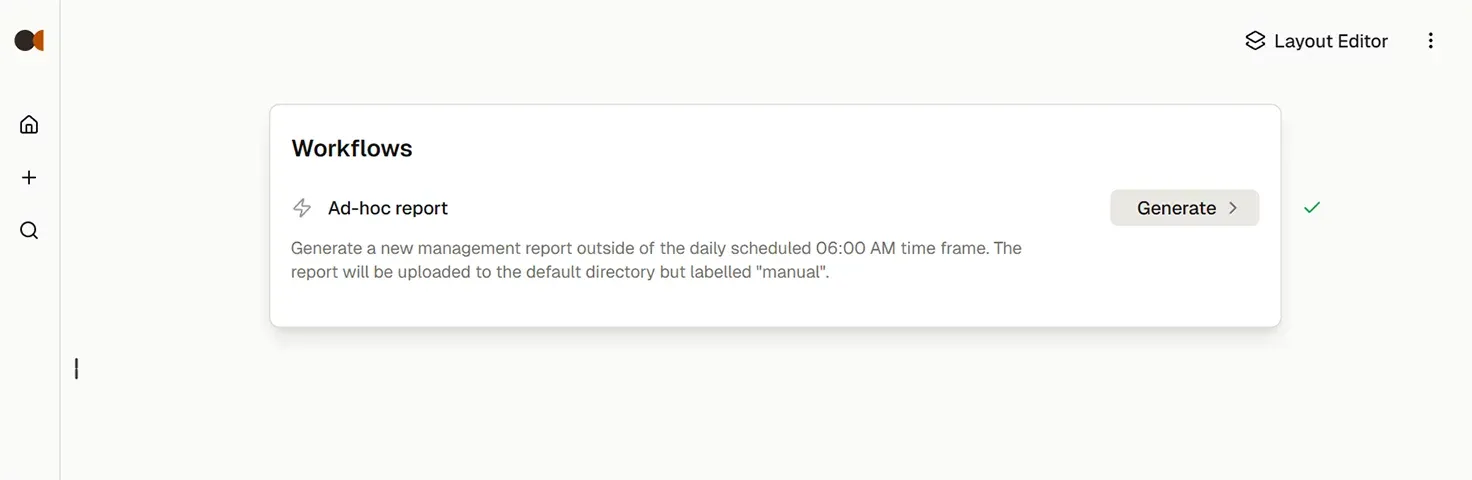
How to trigger an n8n Workflow from the DataTabs interface
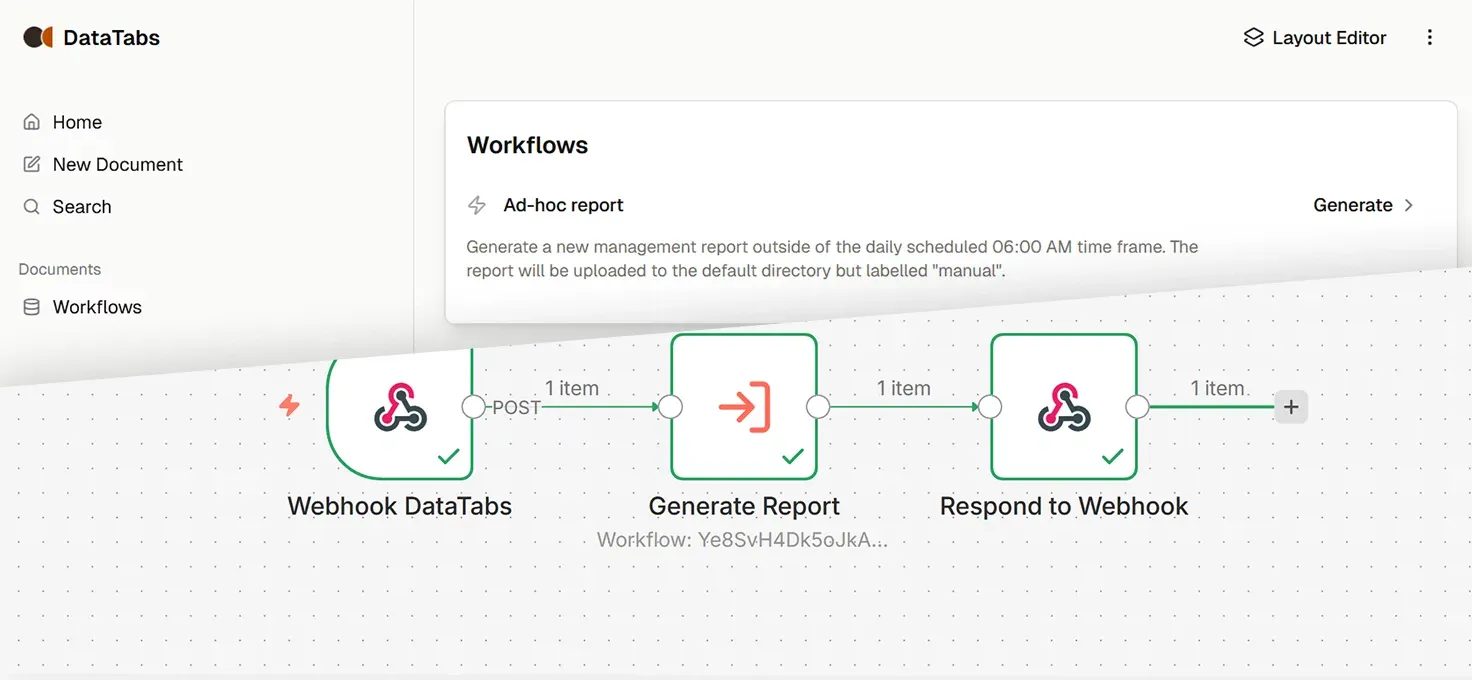
Workflows in n8n, Zapier or similar tools often require to be triggered manually. Either exclusively or as a secondary, manual option.
While it might be acceptable for testing or in private environments to trigger the workflow from the workflow builder, it is often a better approach to separate the building of the workflow from the actual usage. Especially when non-technical users are involved.
DataTabs presents a convenient, simple to use, safe and mobile friendly alternative to hacks like sending yourself an E-Mail or executing a shell script on your local machine.
Additionally, acceptance for workflow solutions can often be increased by applying a minimal interface in front of the workflow. The appearance of a workflow builder might discourage non-technical users as they feel overwhelmed with complexity. Often resulting in rejection of otherwise powerful solutions.
Creating an n8n workflow trigger with DataTabs
To get started login to your account or create a new one here. We have a 14-day free trial available. No credit card is required.
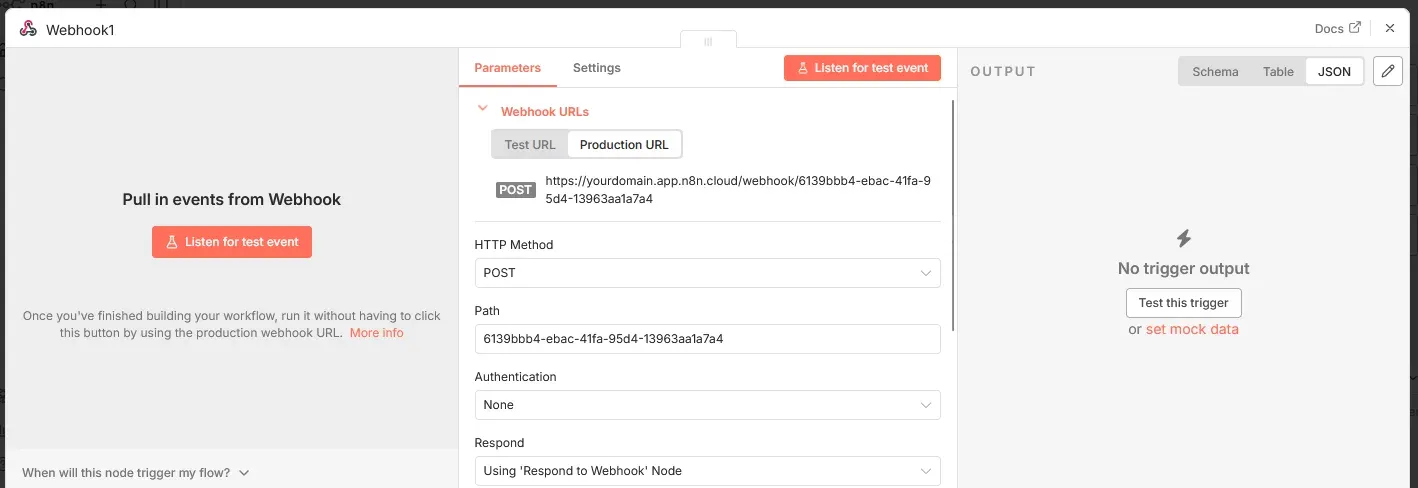
In n8n create a new Workflow or use an existing one. Create a Workflow trigger "Webhook". Switch the HTTP Method to "POST" and copy the URL. Remember to save or publish the workflow.
Add a new Document. In the Layout editor add a new DataTab and select "Button" as the data type. You can set a name for the button or leave it empty to default as "Run".
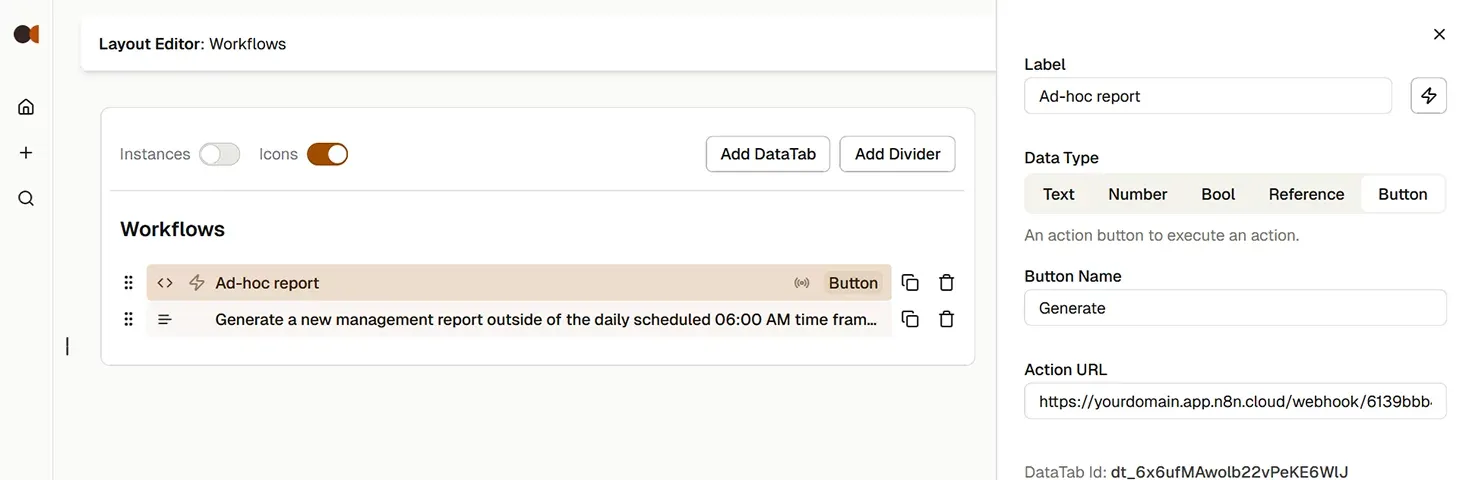
Add "POST https://yourdomain.app.n8n.cloud/webhook...." to the Action URL. Replace this URL with the actual one you have copied. The POST prefix is optional. If none is provided, it will default to POST. Now exit the editor. A click on the button will trigger your workflow.
Important Note: Your URL must be publicly available. If you use 'localhost' or a local IP address, it will not work. For local testing you can add free, temporary domain names via developer tunnels. Some popular options are Cloudflare, Tailscale or ngrok.