How to manage n8n Workflow status and feedback with DataTabs
Workflows in n8n, Zapier or similar tools usually are meant to run in the background. Let's look into how to setup a simple feedback system for n8n workflows to submit status information via DataTabs.
We use a very simple example: A database backup process scheduled to run every day at 3 AM. In this example, we want to be able to see when the workflow was last executed and if the execution was successful.
Managing n8n status feedback with DataTabs
Login to your account or create a new one here.
Create a new Document or use an existing one. Open the Layout Editor and add a new DataTab. Give it a label, set the data type to "Text" and enable status. We only want the Api to write, so enable "Api only".
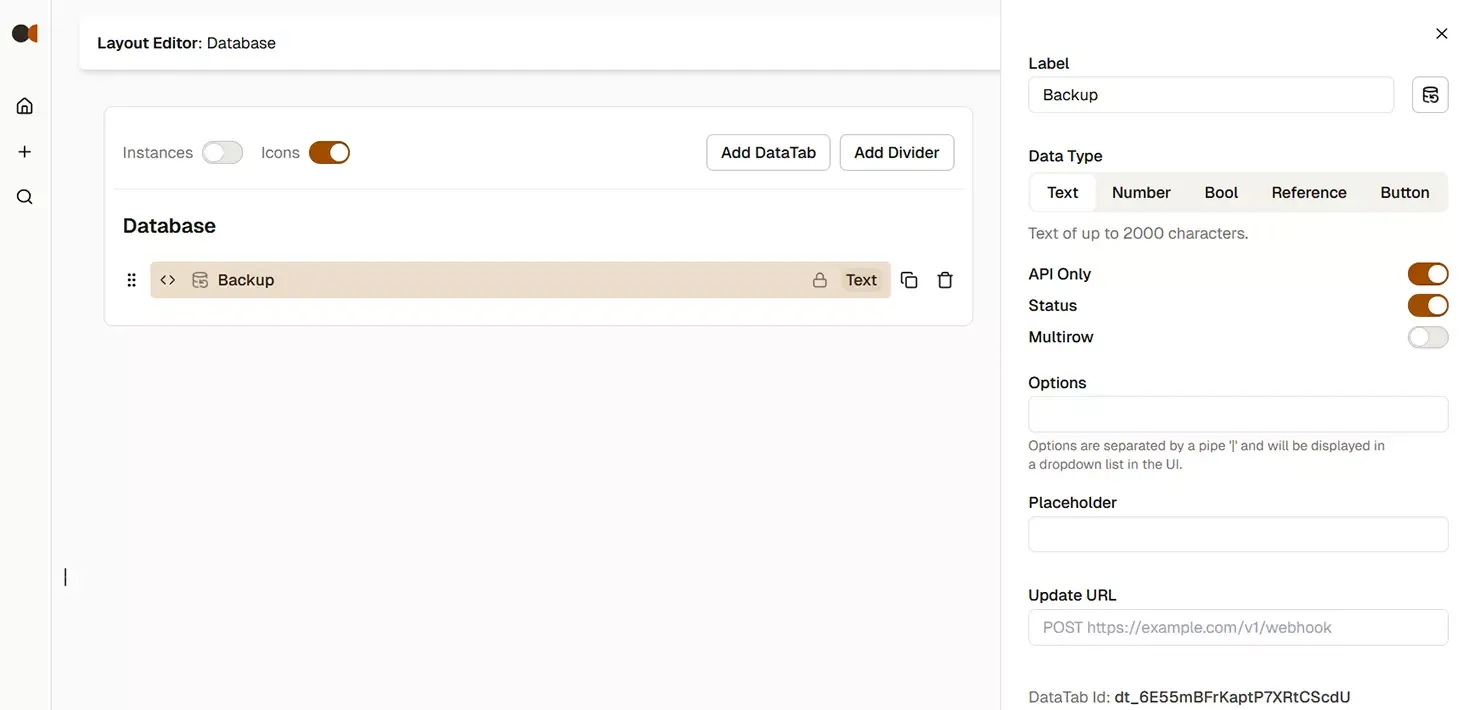
Go to n8n. In your backup workflow add a new "Http Request" node. Set the method to PATCH, set the URL to https://api.data-tabs.com/v1/documents/doc_... and replace doc_... with your document id. You can copy the id from the url or use the "copy document id" button in the document menu.
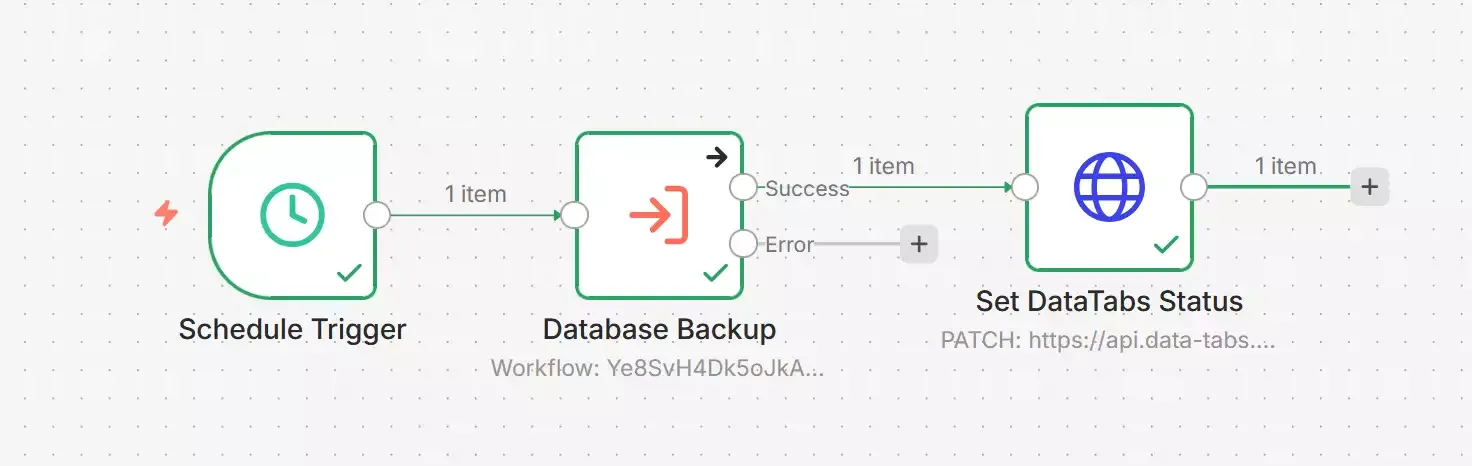
Set Authentication to "Generic Credential Type" and select "Bearer Auth" as the Type. If you have already added a DataTabs API Key select it from the list in the Bearer Auth, otherwise select "Create new Credential".
To create a new Api Key open the settings menu in the bottom left corner, select ApiKeys, click "New Api Key". Give it a name to identify it in the list, e.g. "n8n". Click "Create API Key". Copy the key, go to n8n and paste it in the field for Bearer Token. You can edit the name in the top left to something like "DataTabs Api Key" and limit the HTTP Request Domains to "api.data-tabs.com" to prevent mixups. Save your changes.
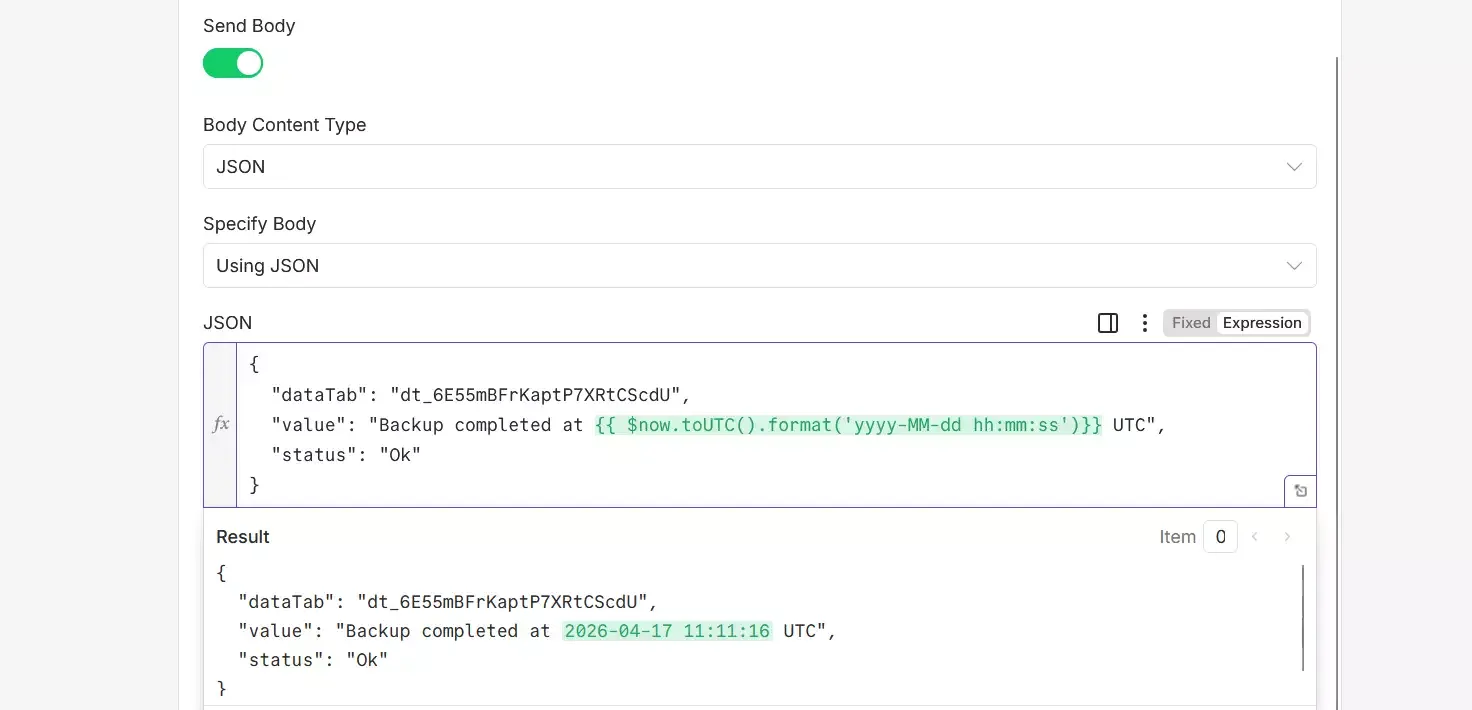
Enable "Send Body", make sure JSON is selected and switch "Specify Body" to "Using Json". Copy the following request and replace the dt_... with the DataTab id in your document. You can find the id at the end of the editor of your DataTab in the Layout Editor.
{
  "dataTab": "dt_6E55mBFrKaptP7XRtCScdU",
  "value": "Backup completed at {{ $now.toUTC().format('yyyy-MM-dd hh:mm:ss') }} UTC",
  "status": "Ok"
}
To submit an error, you can modify the request like this:
{
  "dataTab": "dt_6E55mBFrKaptP7XRtCScdU",
  "value": "Backup failed at {{ $now.toUTC().format('yyyy-MM-dd hh:mm:ss') }} UTC",
  "status": "Error"
}
Read more about updating a DataTab value and status in the Documentation.
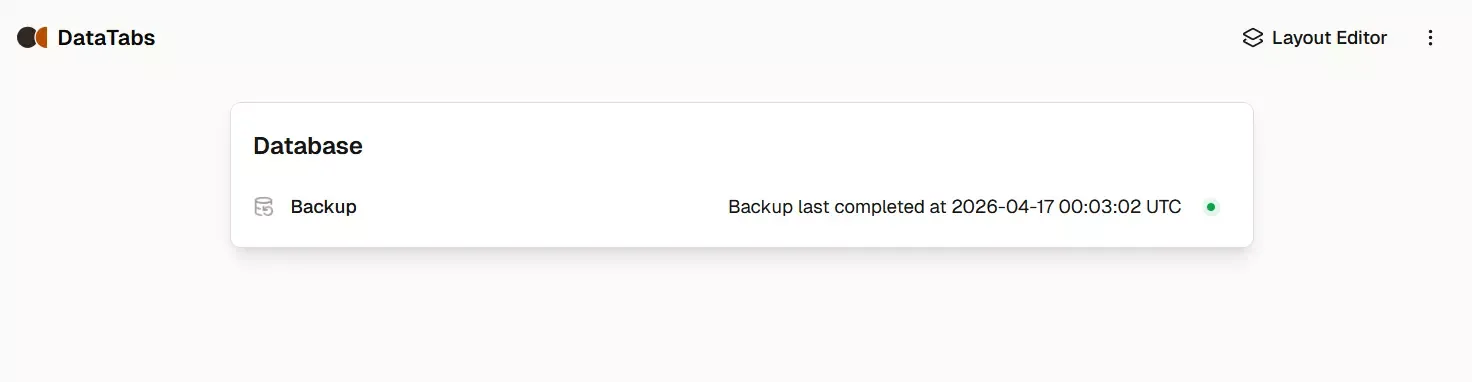
Execute the n8n node manually to check if it works. That's it. Your n8 can run locally, no public domain required. Check out how to add a manual trigger to run the backup on demand.